
Protect Your Data
Data loss can be catastrophic for a business. Complementing existing Cloud solutions, a NAS (Network-Attached Storage) provides enterprise-grade protection: redundancy, automated backups, disaster recovery, all under your control.
On-Site NAS: Autonomy and Responsibility
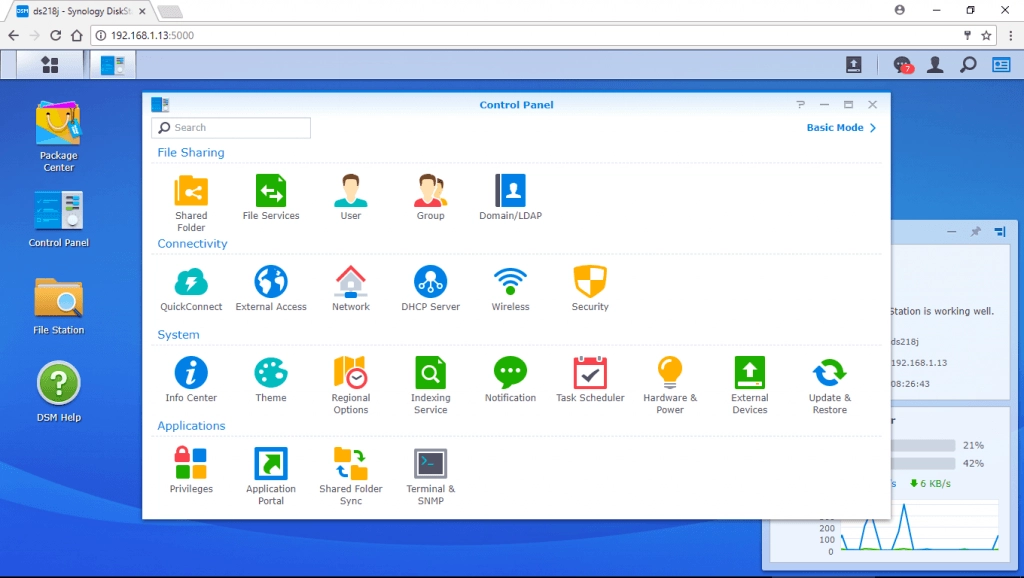
Installing a NAS on your premises gives you full control over your infrastructure: storage, users, security, updates (via DSM). This autonomy turns your NAS into a private data centre, simpler to manage than a traditional server, but demanding regular maintenance and security monitoring.
This model requires clear internal responsibilities, regular updates and controlled remote access, ideally through a VPN.
For businesses preferring outsourced solutions, several cloud models exist:
- IaaS (Infrastructure as a Service), on-demand hardware and network resources.
- PaaS (Platform as a Service), cloud environments for application development and deployment.
- SaaS (Software as a Service), managed applications accessible via the Internet.
A Synology NAS offers the perfect balance between independence, security and ease of management.
NAS Setup and Support
DIGITALABS assists you in the selection, installation and configuration of your business NAS: setup, protocol configuration, user management, application of security best practices.
Benefits of an on-site installation:
- Full data confidentiality and control.
- Customised access rights management.
- Enhanced security through limited local network (LAN) access.
Backup and synchronisation tools:
- Synology Hyper Backup: automated and secure backups.
- Cloud Sync: real-time cloud synchronisation.
Both solutions integrate with OpenStack Object Storage (Swift), an open-source IaaS platform accessible via dashboard or RESTful APIs.
Why an On-Site NAS?
Swiss data sovereignty
Your data stays in Switzerland, subject to strict Swiss privacy laws and out of reach of foreign data access regulations.
24/7 Monitoring
Continuous monitoring of storage health, backup completion and system performance. Proactive alerts prevent issues before any impact.
Scalable infrastructure
Start small and grow as needed. Our solutions scale from SME needs to enterprise deployments without migration complications.
First Installation Checklist (DSM)
- Disable the default administrator account (DSM 7.x+).
- Create a custom administrator with a strong password.
- Enable two-factor authentication (2FA).
- Set the local time zone for accurate event logging.
- Install security patches and enable automatic updates.
- Disable QuickConnect (if not needed).
- Run Security Advisor and enable notifications.
- Enable built-in Anti-DDoS protection.
- Schedule automatic security scans (daily or weekly).
- Change default ports to avoid automated scans.
- Limit open ports to essential services.
- Enable SSH/HTTPS on custom ports.
- Install an antivirus for real-time protection.
- Enable only necessary protocols (SMB, WebDAV, AFP).
- Create personal shared folders and define access privileges.
- Set up automatic synchronisation or backup for client workstations.
- Create a Synology account to obtain a custom FQDN (e.g. company.synology.me).
- Configure a VPN server for secure remote connections.
Note: SMEs using consumer-grade routers may encounter limitations for VPN configuration. Professional-grade hardware is recommended.
Protect your data
Contact us for a customised NAS and backup solution.